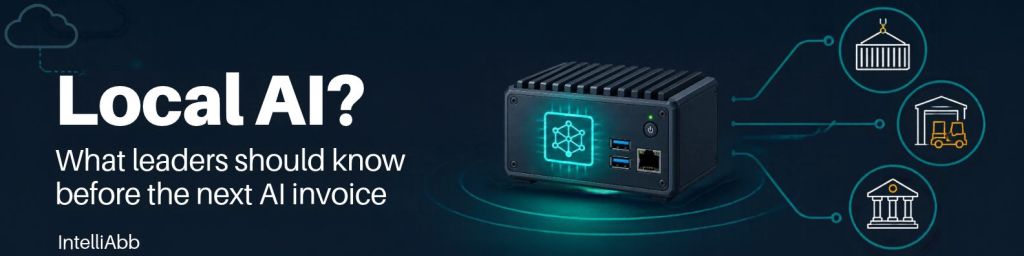
The AI line item keeps growing. So do the questions from security and compliance about where the data goes. Meanwhile, the people who need answers most, like a dock supervisor, a gate operator, or a court clerk, work where connectivity is uneven, delays cost money, and not everything can be sent to an outside API.
Local models are now good enough that “where should this run?” has become a real architecture decision. I advise enterprise and government teams on this and build edge AI systems myself, so here is how I think about it. Benchmarks and hands-on setup will come in follow-up posts.
What “local” means
Local AI means running a language model on hardware you control instead of calling a vendor’s API for every request. That could be an edge box in a dock office, a server in a city’s own data center, or a private cloud tenancy under your controls. It does not mean offline-only, and it does not mean toy-sized. Many deployments still sync with central systems while keeping sensitive data inside the boundary.
Why consider it

Latency. A cloud request travels to a data center, waits its turn, and travels back. For a chat window, that is fine. For a picker with gloved hands in a noisy warehouse, or a clerk with a resident standing at the counter, a few seconds can break the workflow. A model running on site answers at the point of work.
Data security. When the model runs inside your boundary, the data does not leave it. That simplifies security reviews and makes “where did this data go?” an easy question to answer. The public sector may have the strongest case. Think of court records, sealed filings, resident information in permits and tax systems, and city IT details like network diagrams and incident logs. A municipality holds its residents’ trust, and a data leak becomes a public story, not just a technical incident. In logistics, shipping manifests, customer data, and terminal operations deserve the same care.
Note: local is not automatically secure. You still own device security, access control, patching, and logging.
Cost. Cloud AI is priced per token, so cost grows with usage. Local flips that: you pay up front, then each request costs very little. The break-even is simple to frame. Compare monthly token volume times price against hardware, power, support, and the time to maintain it. That last part is easy to underestimate. Many devices asking frequent short questions add up fast under per-token pricing. For public agencies, a fixed capital cost is also easier to plan and defend to a council or board than an unpredictable usage bill.
Availability. A hosted API means depending on someone else’s outages, rate limits, deprecations, and price changes. Warehouses and terminals have big metal buildings, container stacks, and outdoor yards where the network drops, and they run around the clock. A local assistant keeps working through an outage and syncs when the link returns. A local model can also be pinned to a specific version, so it behaves the same next quarter. That matters for audit and repeatability, which public agencies care about.
What it looks like in practice

On a warehouse floor or at a terminal gate, picture a voice assistant that answers “where is this SKU?” or “what’s the procedure for a damaged pallet?” without anyone stopping work. Or a supervisor asking in plain language which dock doors have trailers more than two hours late. Or paperwork like bills of lading and damage reports read and checked at the point of capture.
In a municipality or court, picture a resident-facing assistant answering permit and licensing questions from official documents, without sending resident data off-network. Or a clerk getting a summary of a filing and a list of missing form fields, with sensitive records staying on premises. Or city IT staff triaging tickets and summarizing logs without exposing infrastructure details.
In every one of these, a person reviews the output. Local AI assists the work. It does not decide cases or release shipments.
The honest trade-offs
Local is not always the right answer. Smaller models can lag the best hosted models on complex reasoning. The operations become yours: hardware, updates, monitoring, and the skills to run them, multiplied across sites. You buy for peak load, which means seasonal surges in logistics and deadline season in government. At the edge, heat, dust, and vibration matter. In the public sector, add governance: which models are approved, what gets logged, and what the acceptable-use policy says.
Cloud still wins when you need the best possible reasoning, when usage is light and spiky, or when nobody is available to maintain the stack.
How to decide

For each workflow, ask six questions.
- How bad is it if this data leaves our boundary?
- Does a short delay break the work?
- Is the network reliable where the work happens?
- Is usage high and steady, or low and spiky?
- Can a smaller model do this well enough with human review?
- Do we have people to run it?
High answers on the first four, with moderate quality needs and a capable team, point to local. High quality needs with low sensitivity point to cloud. Mixed answers usually mean a hybrid: local for sensitive and routine requests, cloud for the hard, non-sensitive ones. Public agencies should add legal, records, and procurement requirements to the list and involve counsel early.
The best way to find out is a small pilot. Pick one workflow with a clear metric, like time to resolve a dock exception or time to answer a resident inquiry. Run a model on hardware you already have, and compare quality, latency, and cost with the cloud baseline. Test at the real site, in the spot with the worst connectivity, and bring security and legal in early.
The takeaway
This is not a choice between cloud and local. It is about matching each workload to the right place. Some belong in a vendor’s data center. Others belong on the dock, at the gate, or in the city’s own server room.
Pick one site or department, one workflow, and run the six questions this week. You may be surprised how many workloads already qualify.
How IntelliAbb can help
If you would rather not figure this out alone, that is what we do at IntelliAbb. We work with enterprise and public sector teams to:
- Assess where local AI fits. We run the six questions with you against your real workflows and tell you plainly where local, cloud, or a hybrid makes sense.
- Run a focused pilot. One workflow, one site, clear metrics, and a comparison against your cloud baseline, so the decision rests on data.
- Design and build the solution. Edge and on-prem deployments, private knowledge assistants, and voice interfaces, integrated with the systems you already run.
- Modernize around it. Legacy applications often need work before AI can plug in, and we have done that across both .NET and Java stacks.
If you have a workflow in mind, reach out and let’s talk through it. A short conversation is usually enough to tell whether local AI is worth a pilot for you.